Two visualization modes designed to find space hogs faster than any sunburst chart. Treemap for the big picture, icicle for the deep dive. Built native for macOS.
No subscriptions. No telemetry. 100% local.
Most disk analyzers use sunburst charts. Research shows rectangular layouts are measurably better at comparing file sizes. Klarity gives you both treemap and icicle views.
Rectangles sized by file size. Your eye compares areas instantly. No angle math, no distortion at different depths.
Horizontal bars aligned on the same baseline. Compare folders at the same level by looking at bar width. Hierarchy is depth, not angle.
Encodes size as arc angle. Outer rings look visually larger even when they're not. Brendan Gregg calls them "the new pie chart."
Klarity combines powerful analysis with a beautiful interface. No bloat, no telemetry, no subscriptions.
See every file and folder as proportional rectangles. Instantly spot what's consuming your space at a glance.
Stacked horizontal bars show hierarchy depth. Compare items at the same level with surgical precision.
Double-click any folder to scan deeper. Navigate with breadcrumbs and keyboard shortcuts.
Real-time memory usage with per-app breakdown. Line chart and gauge views in your menu bar.
Switch between drives and external volumes instantly. See usage stats for each disk at a glance.
Choose from Obsidian Teal, Midnight Blue, Aurora, and more. Dark and light mode support built in.
What you see is what you get. Click any screenshot to enlarge.
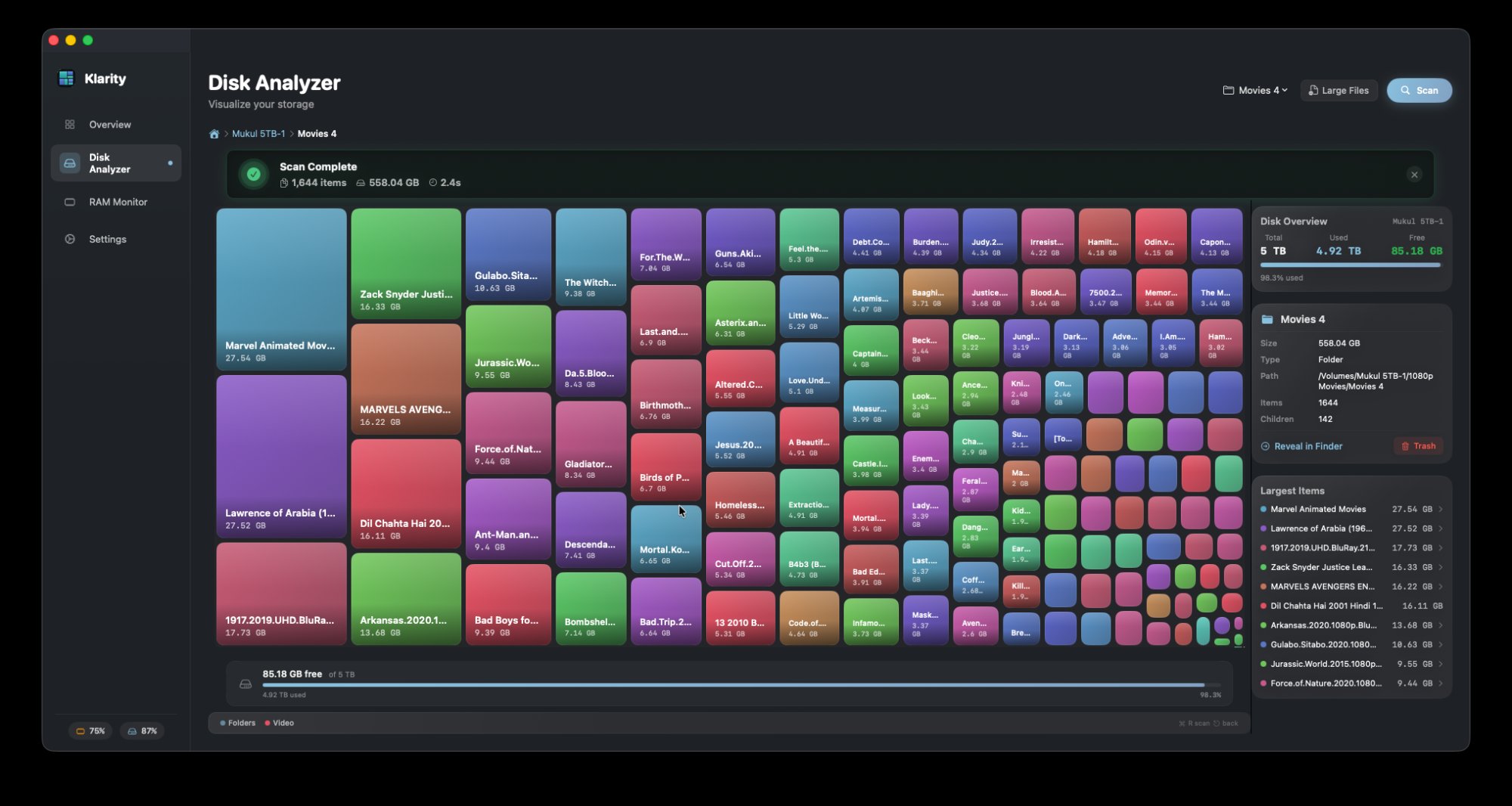
Every file and folder mapped as proportional rectangles. Scan complete banner, disk overview panel, and largest items list — all at a glance.
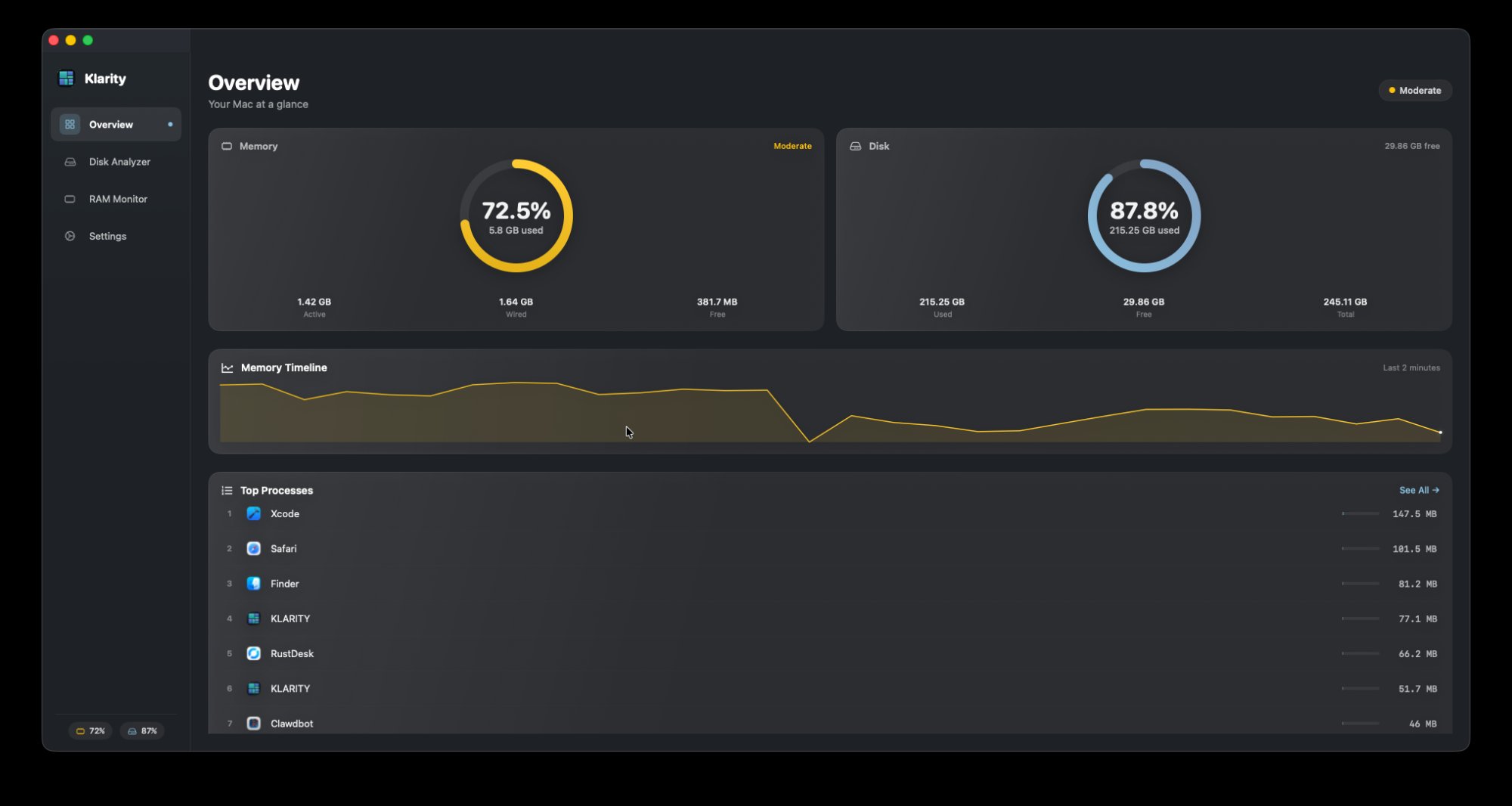
Memory and disk health at a glance. Live timeline, top processes, and real-time gauges.
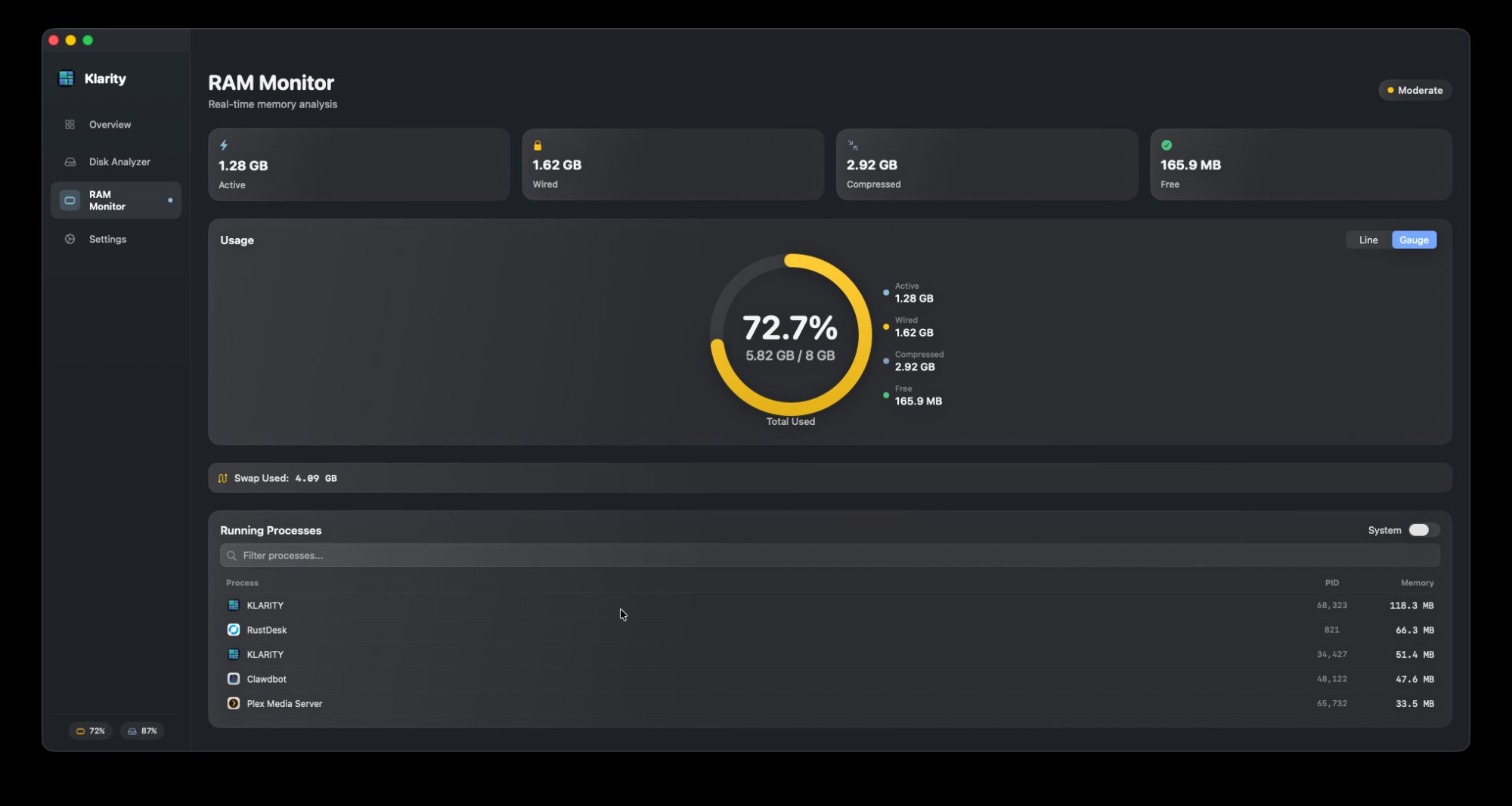
Real-time memory gauge with active, wired, and compressed breakdown. Per-process usage list built in.
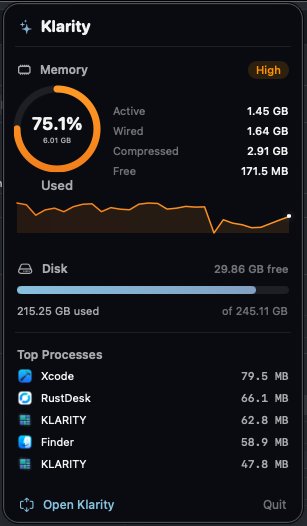
Klarity lives in your menu bar. Glance at memory and disk without opening a window.
Pick any folder or volume. Klarity's optimized scanner processes 100,000+ files per minute, building a complete map of your storage.
Switch between treemap rectangles and icicle flame graphs. Both modes let you hover, click, and drill into any item for full details.
Right-click to reveal in Finder. Identify forgotten downloads, bloated caches, and duplicate files. Free up space in minutes.
Two visualization modes, a built-in RAM monitor, delete safety guards, and zero data collection. No other disk analyzer offers this combination.
| Feature | Klarity | Typical Disk Analyzer | Typical Cleanup Suite |
|---|---|---|---|
| Treemap View | ✓ | ✗ | ✗ |
| Icicle / Flame Graph | ✓ | ✗ | ✗ |
| Sunburst View | — | ✓ | ✗ |
| Move to Trash | ✓ | ✗ | ✓ |
| Delete Safety Guards | ✓ slide-to-confirm | ✗ | ✗ |
| RAM Monitor | ✓ | ✗ | ✓ |
| Menu Bar Widget | ✓ | ✗ | ✓ |
| Theme Customization | ✓ | ✗ | ✗ |
| One-Time Purchase | ✓ | ✓ | ✗ (subscription) |
| Price | $4.99 (launch) | $9.99+ | $30–50/year |
"Finally a disk analyzer that actually looks good. The treemap view is so much more intuitive than DaisyDisk's sunburst."
"Freed up 47GB in 10 minutes. The icicle view made it crystal clear where all my Xcode caches were hiding."
"Love that it's a one-time purchase. The RAM monitor in the menu bar is a bonus I didn't expect. Replaced two apps with one."
Klarity is no longer read-only. Move files to Trash, see scan summaries at a glance, and pick up right where you left off.
Right-click any file or folder in the treemap, icicle chart, or largest items list to move it to Trash. A dedicated Trash button also appears in the info panel. Scan auto-refreshes after deletion.
Large folders (≥1 GB) require a slide-to-unlock gesture, then a confirm button. Smaller items use a simple alert. Prevents accidental mass deletion of important data.
After every scan, a pulsing green banner shows items scanned, total size, and time elapsed. Auto-dismisses after a few seconds, or tap to close immediately.
Klarity remembers which folder you last scanned across app launches. No more re-navigating to the same directory every time you open the app.
One app. One price. No subscriptions, no telemetry, no nonsense.